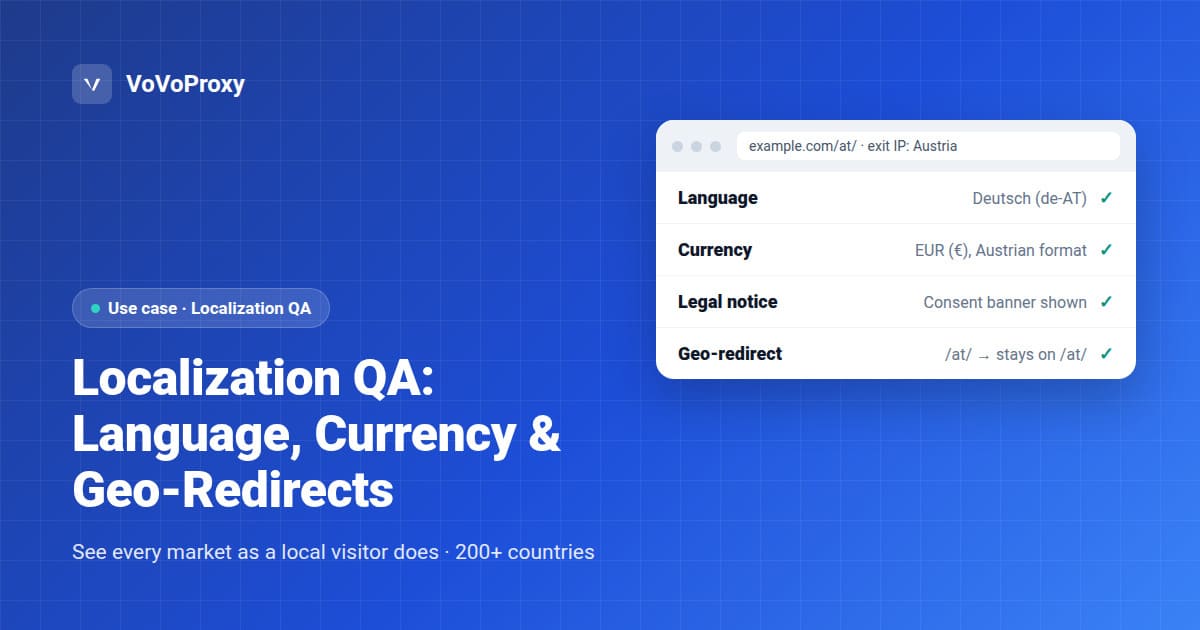
Localization QA Proxies: Test Language, Currency, Legal Notices and Geo-Redirects
Localization QA checks that a visitor in each market sees the right language, currency, legal notices and regional URL. A localization testing proxy makes this possible from one desk: it routes your browser or test script through an exit IP in the target country, so your site, CDN and third-party tools respond as they would to a local visitor. VoVoProxy offers exit IPs in every market marked as available in our locations directory, with targeting by country, state, city or ASN. Pool coverage differs by location; the directory shows availability per country and the console shows the options for your pool.
This guide covers what to check, how to build a test matrix, and a repeatable workflow your QA team can run before every release.
What Localization QA Should Check
Most localization bugs are not translation errors. They come from logic that decides what to show based on where a visitor appears to be. Test each of these elements in every market you serve:
| Element | What to verify | Typical failure |
|---|---|---|
| Language | Default language matches the market; the language switcher works and persists | Visitor in Switzerland gets English instead of German, French or Italian |
| Currency | Correct currency symbol, decimal separator and rounding | Prices in USD for a visitor in Japan, or "1.234,00" shown as "1,234.00" |
| Tax display | Tax-inclusive or tax-exclusive pricing matches local expectations | Totals change at checkout because tax was missing on product pages |
| Legal notices | Cookie consent banner, imprint, terms and privacy links appear where required | Consent banner missing for EU visitors, or shown everywhere and hurting UX |
| Geo-redirects | Visitors land on the right regional URL, and can still reach other regions | Redirect loop between /de/ and /en/, or no way to leave a forced region |
| Content availability | Regional products, promotions and shipping options are correct | A product that cannot ship to a country is still sold there |
| Formats | Dates, phone numbers, addresses and units follow local conventions | 03/04 read as March 4 in one market and April 3 in another |
| Third-party tools | Payment methods, chat widgets, maps and analytics load per region | A local payment method is missing because the provider geo-blocks the test |
Legal requirements vary by jurisdiction and change over time. Confirm what each market requires with your legal team; the proxy only shows you what your site actually renders.
Why a Proxy, Not Just Browser Settings
Your site can decide the locale from several signals at once. Changing only one of them gives you a false picture.
- IP geolocation. Usually the signal for redirects, currency, consent banners and content availability. Only an exit IP in the target market changes it.
- Accept-Language header. Usually the signal for the default language. You can set it in the browser or in your test script.
- Cookies and saved preferences. A previous visit can override both. Start every test with a clean profile.
- Account settings. Signed-in users may follow their profile instead of their location.
A proxy controls the IP signal, and your test setup controls the others, so you can test each combination on purpose. For example, a German-speaking visitor in Austria (IP: Austria, language: de-AT) should not be sent to the Germany store if you run a separate Austrian one.
Office VPNs and cloud regions are a weak substitute: they cover few countries, often show up as datacenter traffic, and may be treated differently by CDNs and consent tools than real visitors are. Residential exit IPs show you what a local household visitor sees.
Build a Localization Test Matrix
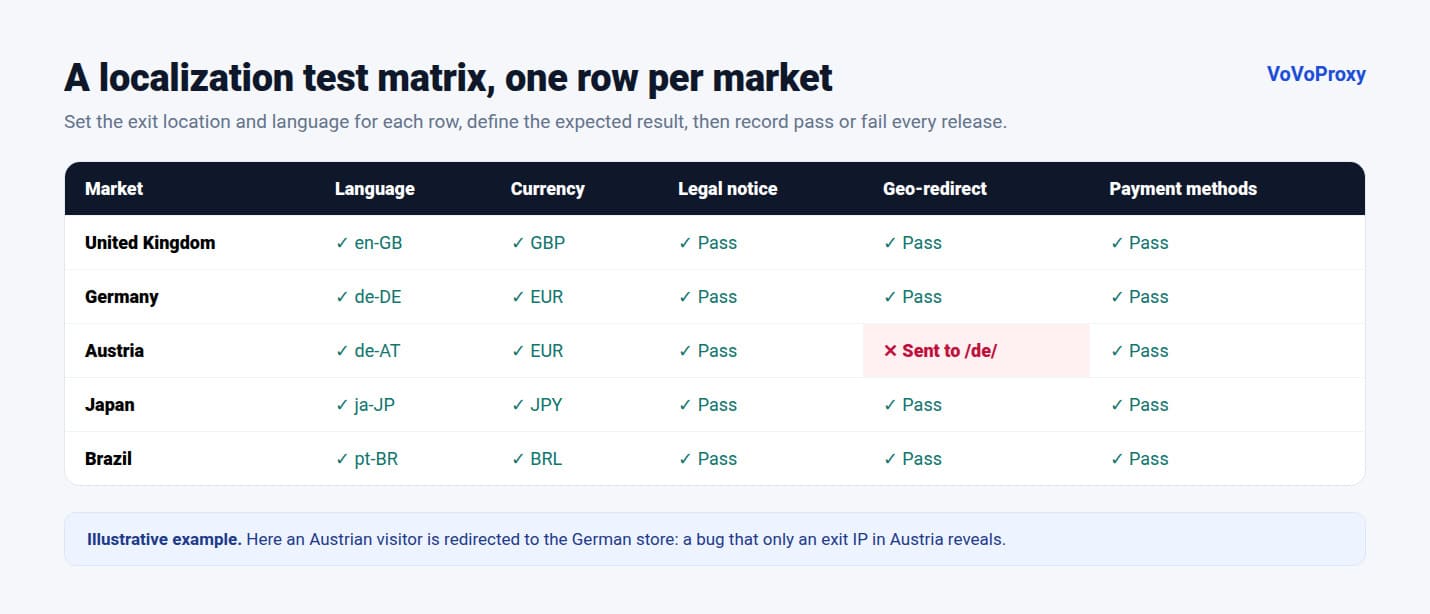
A test matrix keeps localization QA repeatable. List your markets as rows and the elements above as columns, then record pass or fail for each release.
- List your markets. Start with every country you sell to or translate for. Add border cases: multilingual countries (Belgium, Switzerland, Canada), countries that share a language but not a store (Germany and Austria), and markets you do not serve, to test the fallback.
- Set the signals for each row. Exit location (country, or city where it matters), Accept-Language value, and whether the visitor is signed in.
- Define the expected result. Write down the correct language, currency, URL and notices for each row before testing, so results are not judged by memory.
- Choose the pages. Home page, a category page, a product page, cart and checkout up to the payment step, and legal pages.
- Record evidence. Save a screenshot, the final URL, the response headers and the exit location used for each check.
A Repeatable Localization QA Workflow
- Start clean. Use a fresh browser profile or an incognito window, and clear cookies between markets.
- Pick an exit location. Set the country in your connection parameters. Use a sticky session so the IP stays the same through a multi-page flow such as checkout.
- Check the redirect first. Request the home page and confirm the final URL before looking at content:
curl -x http://USERNAME:PASSWORD@PROXY_HOST:PROXY_PORT \
  -s -o /dev/null -w "%{http_code} %{redirect_url}\n" \
-H "Accept-Language: de-AT,de;q=0.9" https://example.com/- Walk the key pages. Verify each element in your matrix and compare it with the expected result.
- Test the escape hatch. Switch to another region using the site's own selector, reload, and confirm the choice sticks and does not trigger a redirect loop.
- Automate the stable checks. Redirect targets, currency codes and the presence of the consent banner are easy to assert in Playwright, Selenium or Cypress, all of which accept an HTTP or SOCKS5 proxy. Keep visual layout checks for manual review.
- Rotate and repeat. Run the same checks from a second exit IP in the same market to rule out a single IP's history.
Copy the exact host, port and targeting parameters from your VoVoProxy portal.
Choosing a Pool and Targeting Level
| Situation | Recommended pool | Targeting level |
|---|---|---|
| Routine release checks across many markets | Residential | Country |
| Region-specific tax, shipping or offers | Residential | State or city |
| Mobile web or app localization | Mobile | Country |
| Static pages and redirect rules where the site does not care about network type | Datacenter | Country |
| Checks where a wrong result is expensive, such as regulated markets | Premium Residential | Country or city |
Start with country-level targeting and narrow it only when your site varies by state or city. Market-specific notes for some of our largest markets are in the US, UK and Germany guides, and the global locations directory lists every country and region. For current rates, see pricing.
Common mistakes to avoid
- Testing with a dirty profile. A stored region cookie hides redirect bugs.
- Changing only the language header. It will not reveal IP-based currency or consent logic.
- Checking only the home page. Checkout and legal pages are where localization bugs cost the most.
- Skipping unsupported markets. Visitors from countries you do not serve still need a sensible fallback.
FAQ
What is a localization testing proxy?
It is a proxy that routes your test traffic through an exit IP in a chosen country, so your website and third-party tools respond as they would to a local visitor. It lets you verify language, currency, legal notices and geo-redirects without travelling or keeping devices in each market.
Is changing the browser language enough for localization QA?
No. Browser language changes the Accept-Language header, which often controls the default language. Redirects, currency, consent banners and content availability usually depend on IP location, which only a proxy in the target country changes.
Which proxy type is best for localization testing?
Residential proxies are the default because they show what a local household visitor sees. Use Mobile for mobile web and apps, Datacenter for simple redirect rules on sites that do not vary by network type, and Premium Residential for accuracy-critical checks.
Can I test city- or state-level localization?
Yes. Every VoVoProxy pool supports targeting by country, state, city or ASN, so you can check regional tax display, shipping rules and local offers.
Can I automate localization QA with a proxy?
Yes. Playwright, Selenium, Cypress and curl all accept HTTP or SOCKS5 proxies. Automate stable assertions such as redirect URLs, currency codes and the presence of a consent banner, and keep layout review manual.
How many countries can I test?
VoVoProxy covers every country and region listed in our locations directory, on all four pools. See the directory for the full list.
Start Testing Your Markets
Send us your list of markets and the pages you test, and we will recommend a pool and targeting setup and confirm it in writing before you pay.