Mobile App QA Proxies: Test How Your App Behaves on Mobile Networks
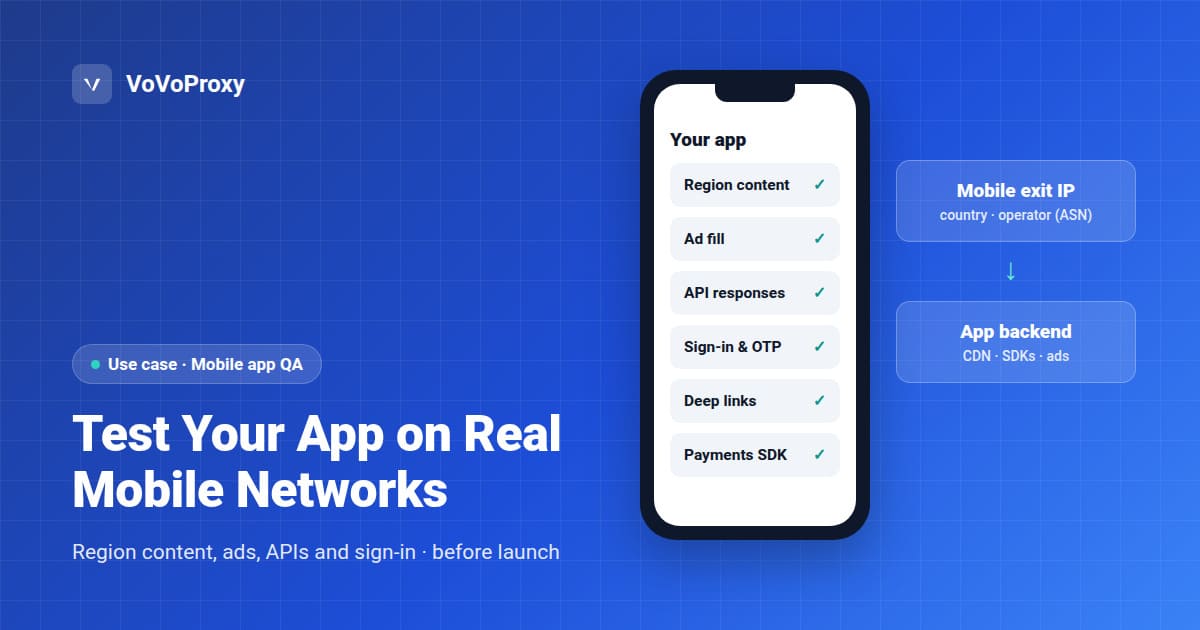
Mobile app QA with proxies means routing a test device or emulator through an exit IP on a mobile network in a chosen country, so your app, its backend and every SDK it loads respond as they would to a real user on a phone. It is how teams catch region-specific bugs before launch: missing content, wrong store links, ads that do not fill, or sign-in flows blocked by a risk rule. VoVoProxy mobile proxies cover every market listed in our locations directory, with targeting by country, state, city or ASN (a specific mobile operator).
What Changes When an App Runs on a Mobile Network
An app that works in the office can behave differently for users on a mobile carrier. The differences usually come from how servers classify the incoming IP:
| What varies | Why it changes on mobile networks | What to test |
|---|---|---|
| Regional content | Backends and CDNs pick content, catalogs and feature flags by IP location | Catalog, promotions and feature availability per market |
| Ads and monetization | Ad networks fill and price inventory by country and network type | Ad fill, creative, consent prompts and mediation fallbacks |
| Risk and fraud rules | Mobile carriers often place many users behind shared IPs (carrier-grade NAT), which some rules treat differently | Sign-up, sign-in, OTP and payment flows are not wrongly blocked |
| Rate limits | Shared carrier IPs can hit per-IP limits faster | Your own API rate limits do not lock out real users |
| CDN routing | Requests may reach a different edge node or origin | Asset loading, video start and cache behavior |
| Deep links and web views | Links may redirect by region before opening the app | Universal links, app links and in-app browser flows |
| Third-party SDKs | Maps, payments, chat and analytics may geo-restrict or change endpoints | Each SDK initializes and works in each market |
A proxy changes the network identity of your traffic: country, operator and network type. It does not simulate radio conditions such as signal strength, latency spikes or bandwidth limits. Use your platform's network conditioning tools for those, alongside the proxy.
Which Test Setup Fits Your Team
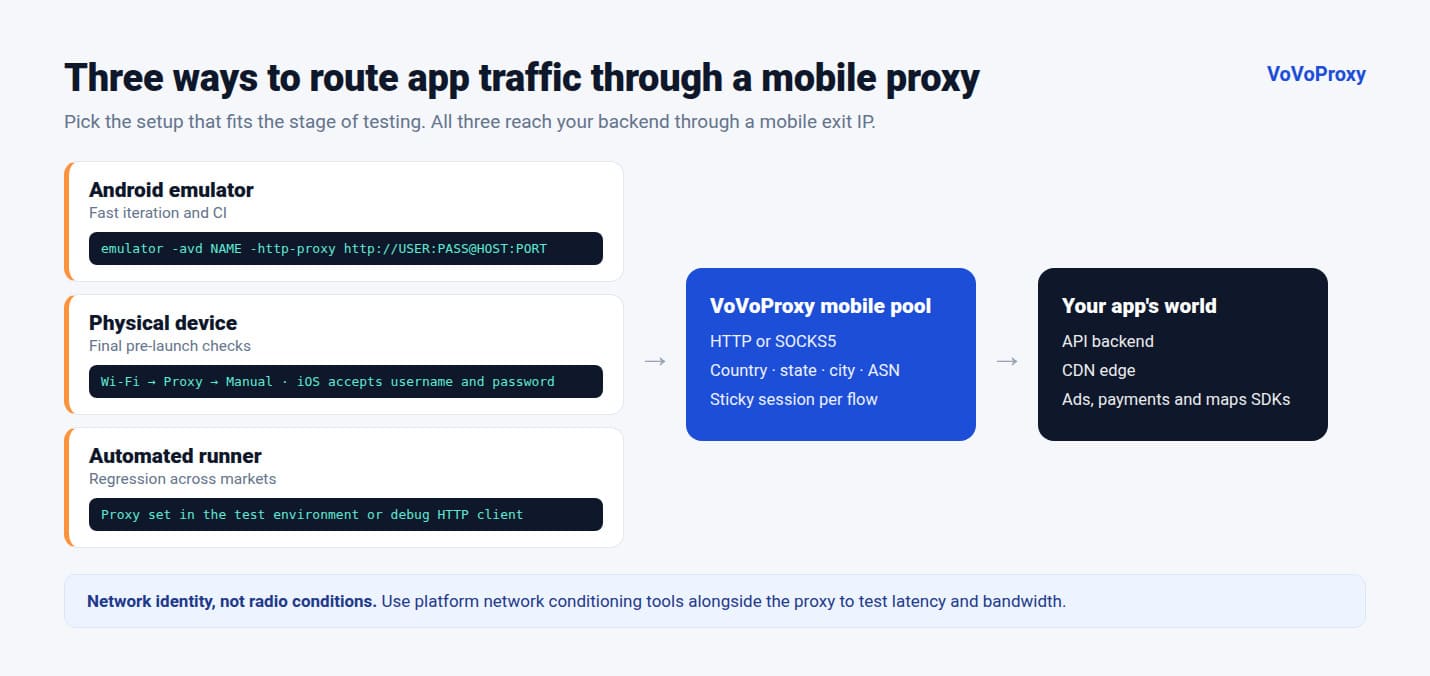
| Setup | Best for | Notes |
|---|---|---|
| Android emulator | Fast iteration, CI pipelines | Start the emulator with a proxy flag |
| Physical Android or iOS device | Final pre-launch checks, real SDK behavior | Set a manual HTTP proxy on the test Wi-Fi network |
| Automated test runner | Regression suites across many markets | Configure the proxy in Appium, Espresso or XCUITest test environments, or at the app's HTTP client |
How to Route App Traffic Through a Proxy
Android emulator. Start the virtual device with your proxy:
emulator -avd Pixel_API_34 \
  -http-proxy http://USERNAME:PASSWORD@PROXY_HOST:PROXY_PORT
Physical Android device. Open Wi-Fi settings, edit the test network, set Proxy to Manual and enter the host and port. For a scripted setup on a device connected over ADB:
adb shell settings put global http_proxy PROXY_HOST:PROXY_PORT
# remove it after the test
adb shell settings put global http_proxy :0
The Android system proxy setting does not accept a username and password. For an authenticated proxy on a physical device, run a local forwarding proxy on your test machine that adds the credentials, or set the proxy inside the app's debug build.
iPhone or iPad. Go to Settings, Wi-Fi, tap the info icon next to the test network, then Configure Proxy, Manual. Enter the host, port, username and password.
Inside the app (debug builds). Some frameworks do not follow the system proxy by default, for example Flutter's Dart HTTP client. In that case, set the proxy in the app's network layer for debug builds only, and keep it out of release builds.
Copy the exact host, port and targeting parameters from your VoVoProxy portal. Use HTTP or SOCKS5, depending on what your tooling supports.
A Pre-Launch Mobile QA Checklist
- Pick the launch markets. List each country, and the main carriers if your app behaves differently by operator.
- Use a clean install. Uninstall, clear app data and reset the advertising ID between markets so cached settings do not hide bugs.
- Use a sticky session for each flow. Sign-up, sign-in and checkout should keep the same exit IP from start to finish, just as a real user would.
- Run first-launch flows. Onboarding, permission prompts, consent dialogs and region detection.
- Check content and monetization. Catalog, prices shown in local currency, promotions, ad fill and in-app purchase options.
- Check account and payment flows. Sign-up, OTP delivery, sign-in, password reset and payment, watching for false risk blocks.
- Check links. Open deep links, share links and push notification targets from outside the app.
- Compare with a baseline. Repeat the critical flows on Wi-Fi without the proxy and note every difference.
- Log evidence. Record the exit country, operator, timestamp and app build with every screenshot and failed request.
Choosing a Pool and Targeting Level
| Situation | Recommended pool | Targeting level |
|---|---|---|
| App behavior on mobile carriers | Mobile | Country, or ASN for a specific operator |
| Region-specific features in one country | Mobile | State or city |
| Backend and API checks that do not depend on network type | Datacenter | Country |
| Comparing mobile users with home Wi-Fi users | Residential | Country |
| Accuracy-critical checks, such as payment or compliance flows | Premium Residential or Mobile | Country or city |
For the difference between pools, read residential vs datacenter vs mobile proxies. If your app also has a web version, pair this checklist with localization QA. Current rates are on the pricing page.
FAQ
What is a mobile proxy for app testing?
It is a proxy whose exit IP belongs to a mobile network in a chosen country. Routing a test device or emulator through it makes your app's backend and SDKs treat the traffic like a real mobile user in that market.
Does a mobile proxy simulate slow or unstable networks?
No. A mobile proxy changes where your traffic appears to come from and which network type it uses. To test latency, packet loss or low bandwidth, use your platform's network conditioning tools at the same time.
Can I test an iOS app with a proxy?
Yes. On iPhone or iPad, set a manual HTTP proxy with host, port, username and password in the Wi-Fi settings of your test network. For automated runs, configure the proxy in your test environment.
Why does my app ignore the proxy?
Some frameworks and HTTP clients do not follow the system proxy by default, for example Flutter's Dart HTTP client. Configure the proxy in the app's network layer for debug builds, or route the device through a network that forces proxy use.
Can I target a specific mobile operator?
Yes. VoVoProxy supports ASN targeting on every pool, which lets you test how your app behaves on one operator's network. Send us the operators you need and we confirm the setup in writing.
Should I use rotating or sticky sessions for app QA?
Use sticky sessions for multi-step flows such as sign-up, sign-in and checkout, so the IP stays the same throughout. Use rotation when you want to sample many exit IPs, for example to check content consistency across a market.
Test Your App Before Launch Day
Tell us your launch markets, the operators that matter and your test volume. We will recommend a pool and targeting setup and confirm it in writing before you pay.